
Computer Labs and Exam Rooms HF
Computer Labs at Gronewaldstraße 2 (Building 216A)
Equipment
The student workstations in rooms 2.119A and 2.119B are equipped with Windows 11 and 23.8-inch anti-glare monitors (16:9). All workstations have height-adjustable chairs. A detailed overview of the installed software can be found here.
Room 2.119A (12 workstations)
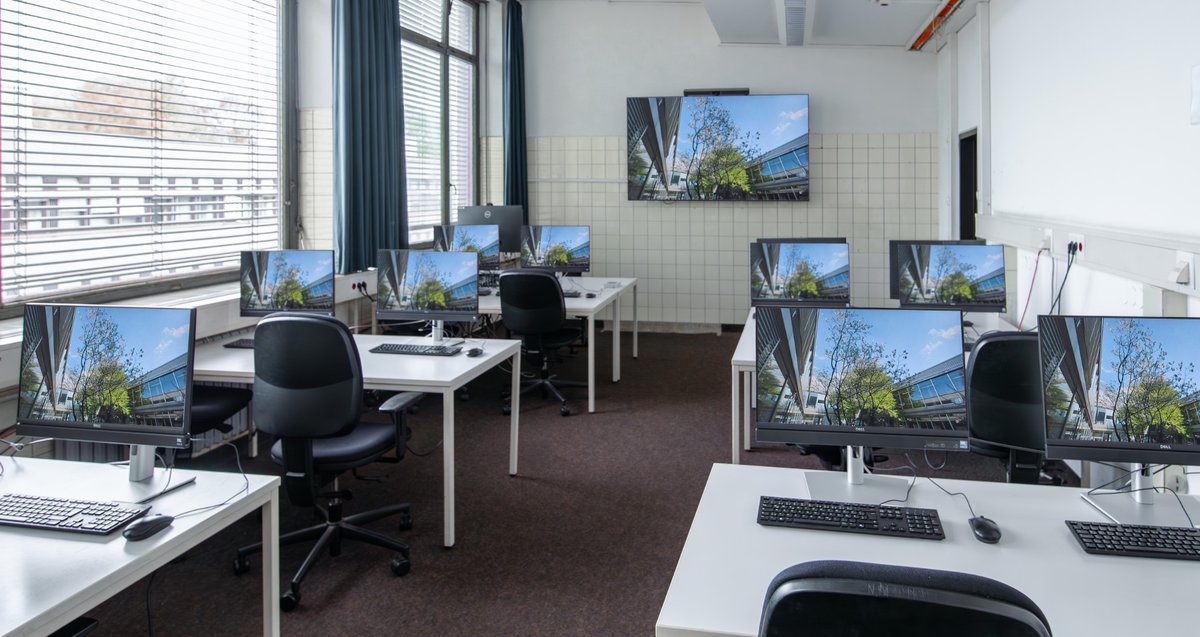
- 12 Dell all-in-one (AIO) PCs – i5 CPU, 16 GB RAM, 23.8-inch monitor
- 3 laptop workstations – 24-inch monitor, USB-C 3.1 with DP Alt Mode (including charging function), located at the back of the room
Instructor PC (GSCIP055):
- i5-13500, 16 GB RAM, 512 GB SSD
- 75-inch Sony display with 100-watt speakers
- Classroom management: NetopVision Pro
- 27-inch Dell monitor with retractable 4K webcam (hybrid teaching possible)
Room 2.119B (26 workstations)
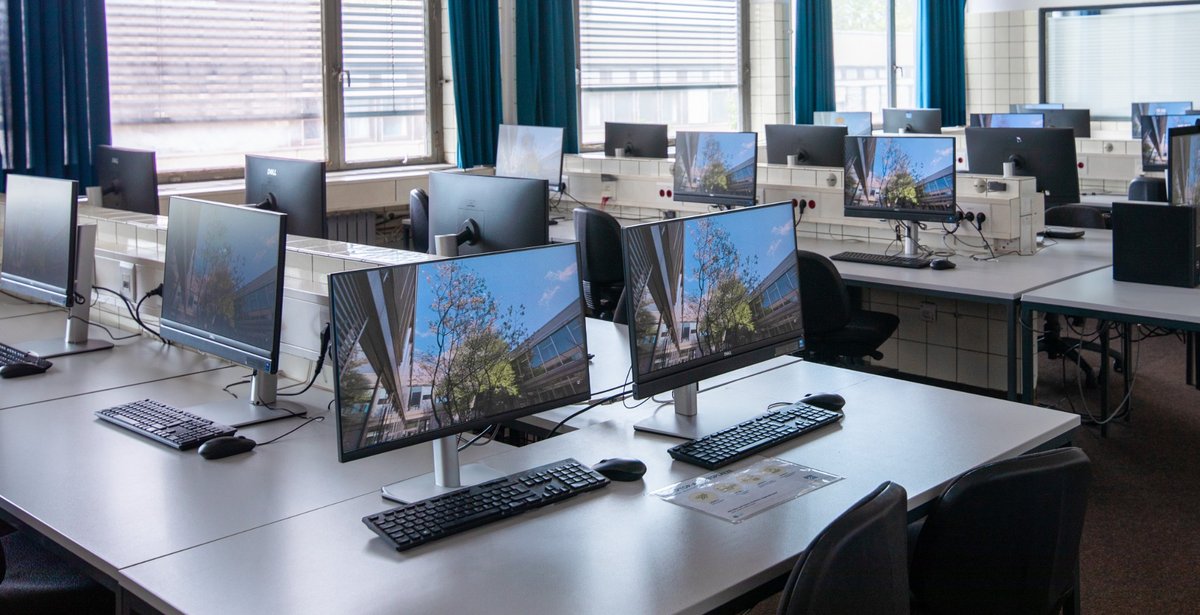

- 26 Dell all-in-one PCs – i5 CPU, 16 GB RAM, 23.8-inch monitor
- 4 laptop workstations (BYOD) – 24-inch monitor, USB-C 3.1 with DP Alt Mode, mouse and keyboard, marked with BYOD labels (includes charging function)
Special features in Room 2.119B:
- Accessible workstations: PC “GSCIP027” and “BYOD Laptop Workstation 02” are mounted on electrically height-adjustable, wheelchair-accessible tables.
- Instructor PC (GSCIP052):
- i5-13500, 16 GB RAM, 512 GB SSD
- Two-axis projector
- Classroom management: NetopVision Pro
- Extron media control with HDMI connection for laptops
- 27-inch Dell monitor with retractable 4K webcam (hybrid teaching possible)
Registration and Data Storage
Login is via your University of Cologne student or staff account—using the same login credentials as for Webmail, ILIAS, or KLIPS.
Once you have logged in, the SOFS storage system is automatically available:
- You can access it via “This PC” -> S:
- Files on drive S: remain after you log out—and are securely transferred to the SOFS cloud.
- Once files are saved in SOFS, you can access them from any university PC—instructions for connecting are available from the ITCC.
- Important: Files saved in “Desktop,” “Downloads,” “Documents,” or other standard system locations will be automatically deleted when you log out!!
Access from home: You can also add files to your SOFS drive from home via VPN, e.g., to prepare files for work in the pool or for Whisper transcriptions. You can access your private drive at sofs1.uni-koeln.de[Sonderzeichen]accountname. Instructions for connecting are available from the ITCC; the special character varies depending on the operating system.
Note: Unfortunately, printing is NOT possible in the HF computer labs until further notice!
The previous service provider, Digitexx, did not have its contract renewed. Therefore, there is currently no campus-wide solution for students’ printing needs. (As of 06/2026)
USB flash drives and external storage devices cannot be used on the computer pool PCs. Use SOFS with your network drive S: or upload files to your ILIAS course in advance.
Contact and Reservations
If you have questions about the equipment or use of the computer labs, please contact computerpools.hf@uni-koeln.de. Information on room reservations can be found here.
Advice on digital exam formats and exams in the computer labs: e-learning.hf@uni-koeln.de
How to Find Us
Gronewaldstraße 2, 50931 Cologne
, Room 2.120a (Building 216A, HF Main Building, 2nd floor)
Phone: 0221-470-6148