Accessibility
| Captions |
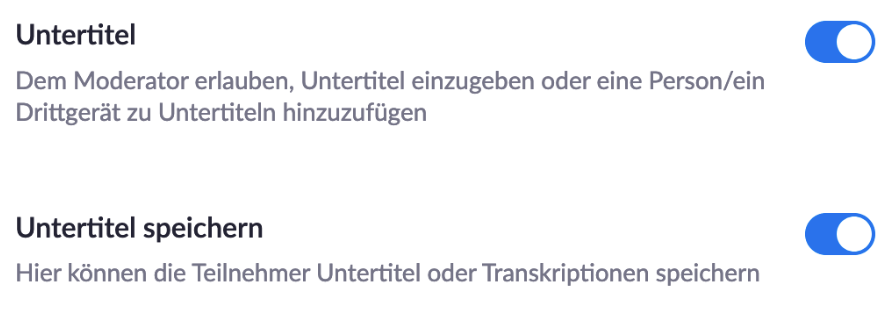
It is possible to create and display captions during the meeting. The host can assign the task of typing the captions to themselves or to another person. These captions are then displayed to the participants.
|
|
Sign Language |
If a sign language interpreter is participating in the meeting, participants can pin the interpreter’s video. This ensures the sign language interpreter remains visible to participants, regardless of who is currently speaking. |
| Interpreting | If a meeting is multilingual, you can assign interpreters before and during the meeting. If a participant selects a language, e.g., English, all participants who do not speak English or have selected a different language in the interpreting menu will be muted. The participant will thus hear only the interpreter. |
| Audio Transcript |
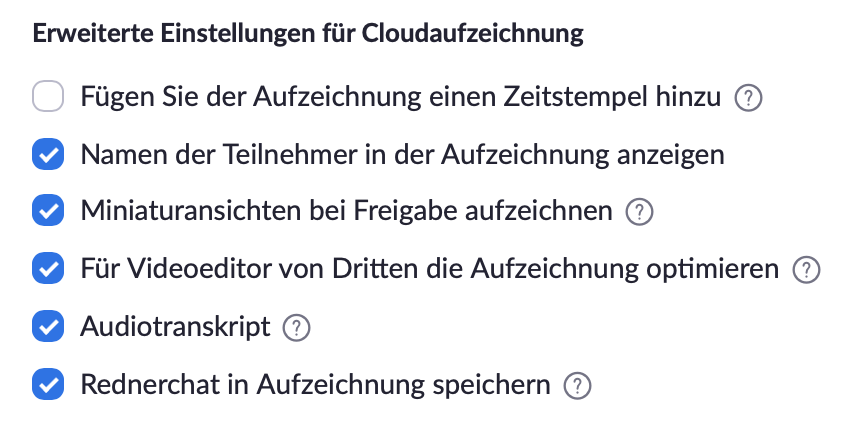
An audio transcript can be automatically generated after a meeting. To do this, you must record the session in the cloud under Settings > Recording (2nd tab at the top).
|