
Pointing Devices
In addition to the standard computer mouse, pointing devices include other devices that can be used for operation, application, and navigation between programs. There are special ergonomic mice and pointing devices designed for people with motor impairments.
This page presents some helpful pointing devices and the joystick mouse in a video demonstrating how to use them.
We are presenting only a selection of pointing devices, as there are a number of devices suitable for specific types of disabilities and/or applications.
Trackball with buttons in different colors
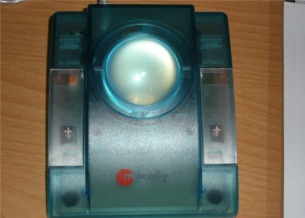
The n-abler trackball from Pretorian Technologies is well-suited for people with limited mobility. It consists of a trackball and five buttons in different colors.
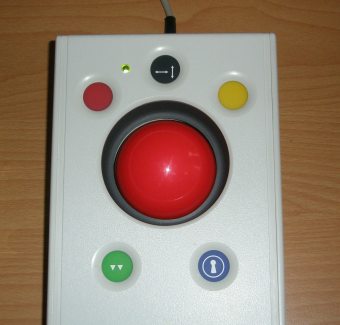
The ball in the center is quite large and heavy. This prevents the mouse cursor from moving when the buttons are pressed.
The green button is used for double-clicking; the black button is used to set whether the mouse should move horizontally or vertically.
Ergonomic Trackball
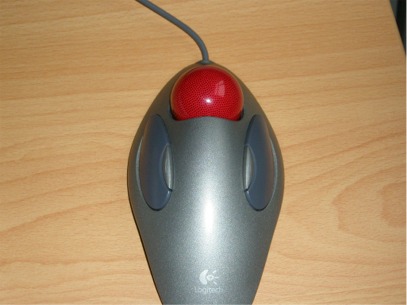
The Marble Mouse from Logitech closely resembles a conventional mouse. The red trackball in the center is easy to operate and is primarily designed for people with limited mobility. This mouse therefore makes it easy to use a computer.
It is also used by many people who spend several hours a day at the computer, as its ergonomic shape makes it comfortable and easy to hold. This makes clicking and controlling the mouse considerably easier.
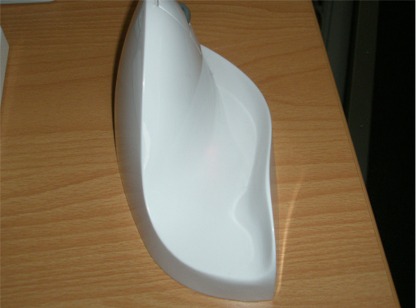
Joystick-style computer mouse / Vertical mouse / Trackball
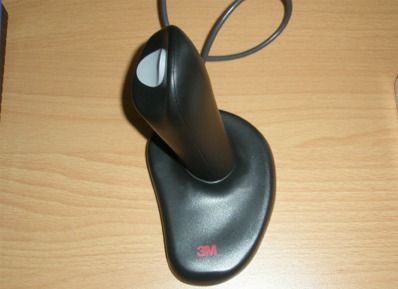
Joystick mouse
Here is a short video demonstrating how to use a joystick mouse.
Jumbo mouse
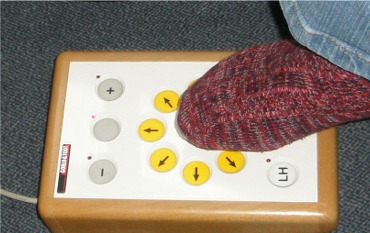
This is a computer mouse controlled by buttons and thus serves as a replacement for conventional computer mice. With this mouse, the cursor is controlled by pressing the various directional buttons. The mouse speed can be adjusted, and a double-click function can also be set. This mouse is particularly suitable for people with fine motor skill impairments. This mouse can also be controlled with the feet.
Mouth Mouse
This computer mouse is one that can be controlled using the mouth. All functions offered by a conventional mouse can also be performed here using the mouth. The mouthpiece only needs to be moved slightly with the lips to make a movement. The mouse click is triggered by gently sucking (left click) and blowing (right click). This mouse is designed for people whose mobility is extremely limited and who would be unable to use a standard mouse. Here you can see the IntegraMouse from LifeTool. Here is a short video demonstrating mouth control.
.JPG "IntegraMouse")